
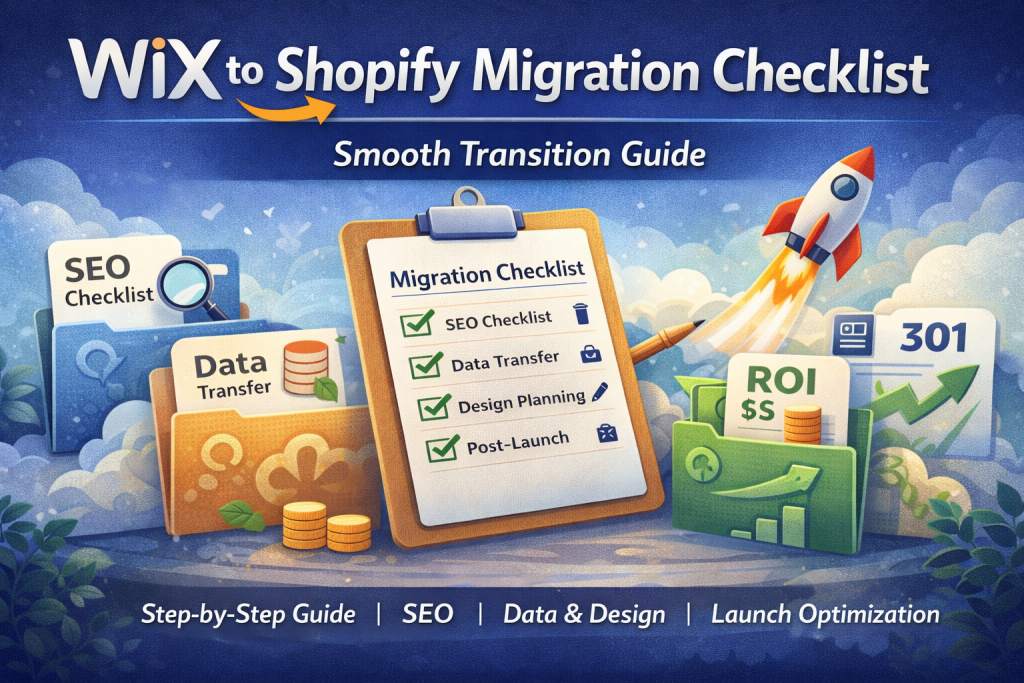
Deciding to migrate Wix to Shopify is a major step forward for any growing ecommerce business. You have recognised the limitations of your current platform and are ready to embrace the scalability, power, and conversion-focused tools that Shopify offers. But the path from decision to a successful launch is paved with technical details.
A platform migration is like moving house. You wouldn’t just throw your belongings into boxes without labels and hope for the best. You would create a checklist, categorise your items, and plan the logistics to ensure nothing gets lost or broken. The same principle applies to moving your digital storefront. Without a structured plan, you risk losing data, breaking your website, and damaging your hard-earned SEO rankings.
This checklist is your definitive guide to a smooth and successful transition. We will cover every critical stage, from pre-migration planning to post-launch checks, ensuring your move is an upgrade, not a setback.
Why a Checklist Matters for Platform Migrations
Hope is not a strategy. When you decide to transfer wix to shopify, a detailed checklist is the single most important tool you can have. It transforms a complex, overwhelming project into a series of manageable tasks.
A comprehensive checklist helps you:
- Prevent Data Loss: It ensures that every product, customer, and order is accounted for.
- Protect Your SEO: It forces you to address critical SEO elements like redirects and metadata, preventing traffic loss.
- Minimise Downtime: A well-planned migration can be executed with near-zero downtime for your customers.
- Reduce Stress: Knowing you have a plan eliminates the anxiety of forgetting a crucial step.
Following a checklist turns a potentially chaotic process into a systematic, repeatable, and safe one.
Pre-Migration SEO Checklist
Before you move a single piece of data, you must perform a thorough audit of your existing Wix site. This is the foundation of a successful, SEO-safe migration.
- [ ] URL Crawl & Mapping: Use a tool like Screaming Frog to crawl your entire Wix site and export a list of every single URL (pages, products, collections, blog posts). This list is your source of truth for setting up redirects later.
- [ ] Metadata Backup: Document the current meta titles and meta descriptions for your most important pages—especially those that already rank well in Google. You will need to reimplement these on your new Shopify store.
- [ ] Indexing Status Review: Check Google Search Console to see which of your pages are indexed and which ones are receiving the most organic traffic. This helps you prioritise which pages need the most attention during the migration.
- [ ] Backlink Analysis: Use an SEO tool to identify your most valuable backlinks. You must ensure the pages these links point to are redirected correctly to preserve their authority.
Design & UX Planning
A migration is the perfect opportunity to improve your site’s design and user experience (UX), not just copy it.
- [ ] Theme Selection: Choose a Shopify theme that aligns with your brand and is optimised for mobile and speed. Consider Shopify’s Online Store 2.0 themes for maximum flexibility.
- [ ] Mobile-First Optimisation: Design and test your new store layout on mobile devices first. With over half of all ecommerce traffic coming from mobile, a seamless mobile experience is non-negotiable.
- [ ] Navigation & Site Structure: Plan a logical and intuitive navigation menu. Think about how your customers shop and make it easy for them to find what they need. A good structure also helps search engines understand your site better.
- [ ] Brand Asset Organisation: Gather all your high-resolution logos, brand colours, fonts, and lifestyle imagery. Having these ready will speed up the design process.
Data Migration Checklist
This is the core of the migration process. Accuracy is everything. Rushing this step can lead to customer complaints and incorrect inventory.
- [ ] Product Data Transfer: Export your products from Wix as a CSV file. Carefully reformat this file to match Shopify’s import template. Pay close attention to product titles, descriptions, SKUs, prices, and variants (e.g., size, colour). Manually check that product images are correctly associated after import.
- [ ] Customer Data Transfer: Export your customer list. Remember that passwords cannot be migrated for security reasons. Plan a communication strategy to invite customers to reactivate their accounts on the new site post-launch.
- [ ] Order History Transfer: While complex, migrating past order history is important for customer service and reporting. Use a dedicated migration app or professional service for this, as errors can affect your accounting.
- [ ] Content & Pages Transfer: Manually copy the content from your static pages (About Us, Contact, FAQs, etc.) and blog posts into your new Shopify store. Ensure blog post publication dates are preserved to maintain chronological order.
Post-Migration SEO Checklist
You have launched your new Shopify store, but the job is not finished. The first few weeks are critical for confirming that the transition was successful in the eyes of Google.
- [ ] Redirect Testing: Using your URL map from the pre-migration stage, spot-check dozens of old Wix URLs to ensure they correctly 301 redirect to the new Shopify pages. Test product pages, collection pages, and blog posts.
- [ ] Google Search Console Setup: Submit your new Shopify sitemap to Google Search Console. Use the “URL Inspection” tool to check if Google can access your key pages. Monitor for any crawl errors or warnings in the days following launch.
- [ ] Speed Optimisation: Run your new site through Google PageSpeed Insights. Identify any large images or slow-loading apps that could be hurting performance and address them immediately.
- [ ] Broken Link Scan: Run a final crawl of your live Shopify site to find any internal broken links (404 errors) that may have been created during the content transfer process.
How SEO Tailor Manages This Entire Checklist for You
Reading through this checklist, you can see how easily a small oversight could lead to a major problem. That is why businesses trust experts to manage their migrations.
At SEO Tailor, we live and breathe this checklist. As a Shopify Partner since 2018, we have refined this process over dozens of successful Wix-to-Shopify migrations. Our dedicated team of SEO specialists and developers works in tandem to ensure every box is ticked with precision.
We don’t rely on buggy “one-click” migration tools. We handle critical data manually, build a comprehensive redirect map from scratch, and test everything rigorously before and after launch. We treat your business’s data and SEO authority with the care they deserve.
Bonus: Conversion Wins We Implement During Migration
A migration shouldn’t just be about preserving what you have; it should be about building something better. While we migrate Wix to Shopify, we also implement conversion-focused improvements that often lead to an immediate uplift in sales.
This can include:
- Implementing Upsell & Cross-sell Apps: To increase your average order value from day one.
- Optimising the Checkout: By enabling express payment options like Shop Pay and Apple Pay.
- Improving Site Search: By integrating smart search apps that help customers find products faster.
Ready to Make Your Move?
A platform migration is a significant undertaking, but with a clear plan and the right partner, it can be the single best investment you make in your business’s future.
Let SEO Tailor handle the complexities of your migration so you can focus on what you do best: running your business. We have been helping brands successfully transfer wix to shopify for years, ensuring a seamless, SEO-safe, and profitable transition.