
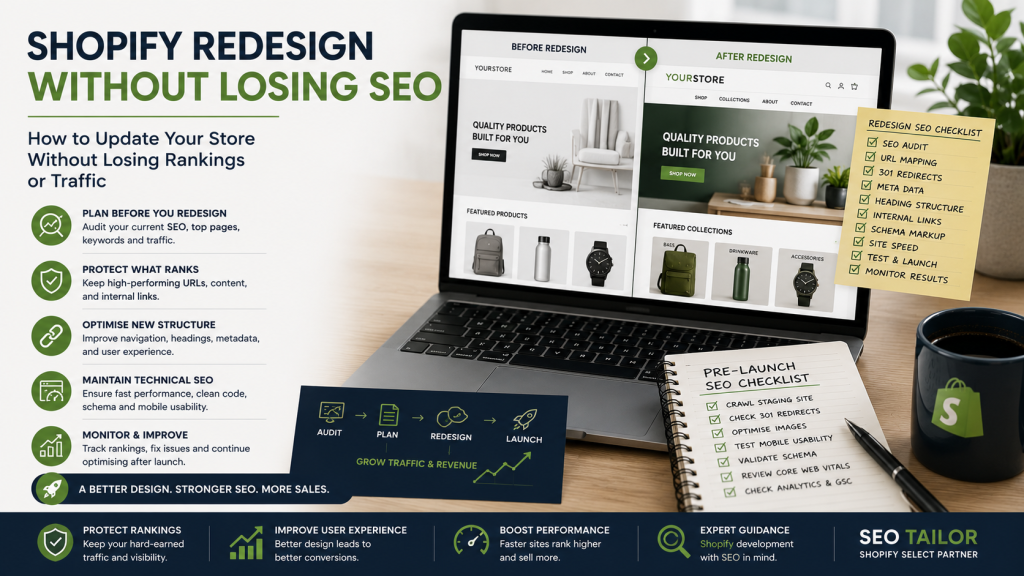
TL;DR: A Shopify redesign can damage organic traffic if SEO is treated as an afterthought. The most common causes of ranking loss are URL changes, removed content, altered heading structures, and broken internal links. Auditing your store before making changes, planning redirects carefully, and working with a developer who understands SEO will protect your rankings throughout the process.
A Shopify website redesign is one of the highest-risk moments in an ecommerce store’s lifecycle — not because redesigns are inherently harmful, but because the decisions made during them so rarely account for what search engines need.
The motivation is usually sound. An outdated theme, a clunky navigation structure, or poor mobile performance are all legitimate reasons to rebuild. Done well, a redesign can improve user experience, increase conversion rates, and create a stronger technical foundation. Done without SEO planning, the same project can quietly erase months or years of organic visibility before anyone notices.
The problem is timing. Most SEO issues introduced during a redesign are not discovered at launch — they surface weeks later, when rankings have already shifted and traffic has already dropped. By that point, reversing the damage is harder and slower than preventing it would have been.
This guide covers everything involved in managing Shopify redesign SEO correctly: what puts rankings at risk, how to audit your store before starting, how to protect what is already working, and what to monitor once the new theme goes live.
Can a Shopify Redesign Affect SEO?
Yes — and it frequently does. The question is not whether a redesign carries SEO risk, but which specific changes introduce that risk and how to manage them.
Several common redesign decisions affect organic performance directly:
- Changed navigation — restructuring menus alters how search engines crawl and understand your store’s hierarchy, and can reduce crawl depth for important collection or product pages
- Removed content — deleting category descriptions, product copy, or blog content removes the keyword signals that helped those pages rank in the first place
- New templates — switching to a new Shopify theme often changes heading structures, canonical tag behaviour, and how structured data is implemented
- Altered headings — developers frequently adjust H1, H2, and H3 tags for visual reasons without realising the semantic impact on search engines
- URL changes — renaming collections or products generates new URLs, and without redirects, every inbound link and search ranking associated with the old URL is lost
- App replacement — swapping SEO-related apps or review tools can remove structured data that was contributing to rich results in Google Search
- Slower performance — new themes often load more slowly than expected, particularly when packed with large images or unnecessary scripts; Core Web Vitals scores that drop post-launch can suppress rankings
- Lost internal links — changing navigation structures or removing content blocks breaks internal linking patterns, reducing the flow of authority to important pages
None of these issues are inevitable. They are all preventable with the right preparation.
Audit the Existing Shopify Store Before Making Changes
Before a single line of code is changed, a thorough audit of the existing store creates the baseline needed to protect what is working. This is not optional — it is the foundation of the entire process.
The audit should capture:
- Ranking pages — which pages currently rank, for which keywords, and at what positions
- Organic landing pages — which URLs are receiving search traffic, drawn from Google Search Console and your analytics platform
- Existing URLs — a full crawl of the live store to document the current URL structure
- Backlinks — which URLs are receiving inbound links, identified through a tool such as Ahrefs or Google Search Console; these pages carry accumulated authority and must be handled with care
- Metadata — existing page titles and meta descriptions, particularly for high-performing pages
- Heading structures — how H1, H2, and H3 tags are currently used across templates
- Internal links — how pages link to one another, and which pages receive the most internal link equity
- Structured data — what schema markup is currently implemented and whether it is generating rich results
- Conversion performance — which pages generate the most revenue or leads, so commercial priorities are clear throughout the redesign
This data shapes every subsequent decision. Without it, there is no way to measure what the redesign has affected.
Protect High-Performing Pages
Once the audit is complete, the pages that are already performing well deserve specific protection. A redesign is not an opportunity to start from scratch — it is an opportunity to build on what is working.
In practice, this means:
- Keeping successful URLs wherever possible — if a collection or product page ranks well, there is no good reason to change its URL structure
- Preserving useful copy — if a page ranks because of its content, that content needs to carry over to the new design; visual templates change, copy should not
- Retaining keyword targeting — the page title, meta description, and on-page language that helped a page rank should be replicated in the new theme
- Maintaining important internal links — pages that receive significant internal link equity should still be accessible from the same or equivalent positions in the new navigation
- Avoiding replacing strong pages purely for visual reasons — if a page converts well and ranks well, the burden of proof for changing it is high; design preferences do not outweigh commercial performance
The goal is to carry the store’s existing SEO equity intact into the new design, not to rebuild it.
Plan Shopify Navigation Around Search Demand
Navigation structure has a direct impact on how search engines crawl a store and how much authority flows to individual collection and product pages. It also shapes how users move through the site — making it both an SEO and UX concern.
Good navigation planning for a Shopify website redesign involves:
- Mapping collections before design work begins — establish the full collection architecture based on search demand and business priorities before any visual work starts
- Using clear parent and child categories — hierarchical navigation helps search engines understand the relationship between broad and specific pages
- Keeping important pages close to the homepage — pages that are fewer clicks from the homepage tend to receive more crawl attention and internal link equity
- Building descriptive menu labels — navigation labels should describe the content clearly, using language that reflects how customers actually search
- Adding contextual internal links — beyond navigation menus, in-page links between related collections and products reinforce the store’s topical structure and help distribute authority more evenly
These decisions should be made before a designer touches a wireframe. Navigation planned after the visual design is locked tends to compromise one or the other.
Changing a Shopify Theme Without Damaging SEO
Theme changes are where the most common and most avoidable SEO damage occurs. A new Shopify theme might look significantly better and still introduce a set of technical problems that suppress rankings for months.
The key areas to address when changing a Shopify theme:
- Heading structure — confirm that each template uses a single H1 that reflects the page’s primary keyword, with H2 and H3 tags used for subheadings rather than for visual styling
- Schema markup — check whether the new theme includes product schema, breadcrumb schema, and organisation schema; many themes implement these incompletely or incorrectly
- Canonical tags — Shopify generates multiple URL paths for products accessed through different collections; the new theme must handle canonicalisation correctly to avoid duplicate content issues
- Mobile performance — test all key templates on mobile devices before launch; new themes frequently introduce layout issues on smaller screens that the desktop preview does not reveal
- App compatibility — some apps inject code that conflicts with new theme structures; test all active apps on the staging theme before going live
- Image handling — confirm that the new theme uses Shopify’s native image optimisation and serves appropriately sized images to different devices
- JavaScript rendering — themes heavy in JavaScript can delay how quickly search engines can access content; test crawlability using Google Search Console’s URL Inspection tool
- Content sections — confirm that content-rich sections from the old theme have equivalent sections in the new one, and that no important on-page content has been lost in the transition
Each of these points represents a category of SEO risk. Addressing them before launch is substantially easier than diagnosing and repairing them afterwards.
When Shopify Redirects Are Required
Redirects are necessary whenever a URL changes. Without a 301 redirect from the old URL to the new one, any rankings, backlinks, or bookmarks associated with the old page are effectively discarded.
The situations that most commonly require redirects during a Shopify redesign include:
- Deleted products — products that are discontinued should redirect to their parent collection or a closely related product, not to a 404 page
- Renamed collections — if a collection’s handle changes, the old URL must redirect to the new one; this is one of the most common sources of ranking loss during redesigns
- Consolidated content — if multiple pages are merged into a single page, all old URLs should redirect to the new consolidated destination
- Migration from another platform — moving from WooCommerce, Magento, or any other platform to Shopify requires a comprehensive redirect map that preserves the old URL structure’s SEO equity
- Changed blog structures — if blog post URLs change during a redesign, those posts lose their accumulated backlinks and search rankings without redirects in place
Redirect planning should be completed before launch, not after. A redirect map, cross-referencing every old URL with its new destination, is a practical starting point.
Pre-Launch Shopify SEO Checklist
Before a redesigned Shopify store goes live, a structured pre-launch review reduces the risk of introducing undetected problems.
Work through the following before switching themes:
- Crawl the staging theme — use a crawler such as Screaming Frog or Sitebulb to identify missing metadata, broken links, heading issues, and missing canonical tags before the theme goes live
- Test mobile layouts — manually review key templates on multiple mobile screen sizes; automated tools do not catch every layout issue
- Validate schema — use Google’s Rich Results Test to confirm that product schema, breadcrumbs, and any other structured data are implemented correctly
- Check page titles — confirm that every key page has a unique, keyword-relevant title tag; themes sometimes strip or overwrite these during migration
- Compare old and new content — audit the staging theme against the live store to confirm that no important copy, links, or structured content has been lost
- Test redirects — verify that every redirect in the redirect map is resolving correctly to the intended destination
- Review tracking — confirm that Google Analytics, Google Search Console, and any other tracking tools are firing correctly on the new theme
- Check forms and checkout journeys — broken forms and checkout paths affect conversion rate; confirm all transactional flows work end-to-end before launch
This checklist does not replace a full SEO audit, but it significantly reduces the chance of launching with problems that could have been caught beforehand.
Post-Launch Monitoring
The launch of a redesigned store is not the end of the SEO work — it is the beginning of a monitoring period that should run for at least 90 days.
The metrics and signals to watch closely include:
- Google Search Console — monitor for crawl errors, manual actions, and changes in impressions and clicks for key pages
- Analytics — track organic traffic by landing page; if specific pages lose traffic, the data will indicate where to investigate first
- Ranking changes — use a rank tracker to monitor keyword positions for the store’s most important terms; early ranking shifts often indicate a solvable technical issue
- 404 errors — new 404s appearing post-launch indicate URLs that have changed without corresponding redirects; these should be resolved promptly
- Indexing — confirm via Search Console that important pages are being indexed correctly and that no pages have been accidentally excluded
- Conversion rate — if organic traffic holds but conversion rate drops, the redesign may have introduced UX problems on key landing pages
- Core Web Vitals — compare post-launch CWV scores against pre-launch baselines; a decline indicates a theme performance issue that needs addressing
- Revenue by landing page — the ultimate measure of whether the redesign has helped or hurt; monitor revenue contribution from organic landing pages throughout the monitoring period
Addressing issues quickly, while the store is still in a state of flux, is far more effective than waiting until rankings have settled.
Why Your Shopify Developer Should Understand SEO
The reason most redesigns create SEO problems is not carelessness — it is the separation between development decisions and SEO awareness. When a developer does not understand how their choices affect search engines, risks are created at the point when they are easiest to prevent.
A freelance Shopify developer who understands SEO identifies these risks while decisions are still being made. They will flag a heading structure problem before the theme goes live rather than after rankings have dropped. They will raise the question of URL changes before a collection is renamed rather than after the ranking is lost.
This combination — development skill alongside SEO knowledge — means that SEO is built into the redesign process rather than bolted on afterwards. The cost of fixing SEO damage post-launch, in both time and lost revenue, consistently exceeds the cost of involving an SEO-aware developer from the start.
Shopify Redesign and SEO Services From SEO Tailor
SEO Tailor provides Shopify redesign SEO services built around the exact risks covered in this guide. The service is run by Garry Butcher, a freelance Shopify developer and Shopify Select Partner based in Leamington Spa, with close to a decade of combined Shopify development and SEO experience.
The service includes:
- Theme development — Shopify 2.0 builds and customisations developed with performance, usability, and SEO requirements built in from the start
- Technical SEO — heading structures, schema markup, canonical tags, site speed, and crawlability reviewed and corrected at the theme level
- Collection structure — navigation and collection architecture planned around search demand before design work begins
- Redirect planning — a full redirect map prepared before any URL changes are made, protecting the store’s accumulated search equity
- UX improvements — layout, navigation, and page structure changes that improve both user experience and organic performance
- Post-launch monitoring — structured monitoring of rankings, indexing, Core Web Vitals, and conversion performance following launch
- Direct work with a Shopify Select Partner — every project is handled by Garry directly, not passed to an account manager or junior developer
Planning a Shopify redesign? Arrange a pre-redesign SEO review before changing your theme, navigation, or URLs. Get in touch with SEO Tailor →
Frequently Asked Questions
Does changing a Shopify theme affect SEO?
Yes. Changing a Shopify theme can affect heading structures, canonical tag behaviour, schema markup, site speed, and internal linking — all of which have a direct impact on search rankings. The risks are manageable, but they need to be addressed before the new theme goes live, not after.
How do I redesign my Shopify store without losing SEO?
Audit the existing store before making any changes, document all ranking pages and their URLs, preserve high-performing content, plan redirects for any URLs that will change, and test the new theme thoroughly on a staging environment before launching. Post-launch monitoring for at least 90 days is also essential.
What is the most common cause of ranking loss during a Shopify redesign?
URL changes without corresponding 301 redirects are the single most common cause of ranking loss. When a collection or product URL changes and no redirect is in place, every search ranking and inbound link associated with the old URL is effectively discarded.
Does a Shopify theme change require 301 redirects?
Only if any URLs change as a result of the theme change. If the new theme uses identical URL structures, redirects are not required. However, if collections are renamed, products are removed, or the URL format changes, 301 redirects are necessary to preserve SEO equity.
How long does it take to recover SEO rankings after a Shopify redesign?
Recovery time depends on how much damage was introduced and how quickly issues are addressed. Minor technical problems may resolve within a few weeks once corrected. Significant ranking losses — particularly those caused by URL changes without redirects or large-scale content removal — can take three to six months to recover, and in some cases longer.
Should my Shopify developer understand SEO?
Yes. Development decisions have direct SEO consequences, and a developer who understands SEO can identify and prevent problems at the point when they are easiest to address — during the redesign, before launch. Attempting to repair SEO damage after launch is slower, more expensive, and less reliable than building correctly from the start.
What should I check before launching a redesigned Shopify store?
Before launch, crawl the staging theme for technical issues, validate schema markup, confirm all page titles are in place, check that redirects are resolving correctly, compare old and new content to confirm nothing has been lost, and test all tracking and checkout journeys end-to-end.