Choosing an e-commerce platform is one of the most significant decisions a business owner will make. For many startups, WooCommerce is an attractive starting point. It is flexible, open-source, and integrates directly with WordPress, the world’s most popular content management system. However, as a business grows and its needs become more complex, the very flexibility that once seemed like an advantage can become a significant operational burden.
Many successful online stores reach a point where the cracks in their WooCommerce setup start to show. Performance issues, security worries, and mounting maintenance tasks begin to distract from the core goal: selling products and delighting customers. This is often the moment when merchants start to consider a WooCommerce to Shopify migration.
This article will compare WooCommerce and Shopify directly, focusing on why moving to Shopify is a strategic decision for ambitious, growing stores. We will explore the limitations of WooCommerce at scale, the distinct advantages of Shopify, and what to expect from the migration process. As a Shopify Partner with extensive experience in WordPress, we have guided numerous businesses through this exact transition, helping them build a more stable and scalable foundation for their future.
WooCommerce Limitations at Scale
WooCommerce can feel liberating at first, but as your order volume and traffic increase, several key limitations emerge.
Performance
A standard WooCommerce site relies on its hosting environment and a collection of plugins to function. As you add more products, attract more visitors, and install more features, the site’s speed can degrade significantly. Slow loading times not only frustrate customers and increase cart abandonment but also negatively impact your SEO rankings. Optimising a high-traffic WooCommerce store requires constant technical attention, including expensive premium hosting, caching configurations, and database management.
Security
Because WooCommerce is self-hosted, you are solely responsible for your store’s security. This includes purchasing and configuring an SSL certificate, protecting against malware and brute-force attacks, and ensuring your site is PCI compliant for payment processing. A single security breach could compromise customer data and irreparably damage your brand’s reputation.
Maintenance
The open-source nature of WooCommerce means you are the system administrator. You have to manage updates for WordPress core, the WooCommerce plugin itself, your theme, and every other plugin you have installed. These updates can sometimes conflict with each other, breaking functionality and forcing you to spend hours troubleshooting or hiring a developer to fix the issues. This reactive maintenance cycle steals time and focus away from proactive business growth.
Plugin Costs
While WooCommerce itself is free, building a feature-rich store is not. Functionality that is often standard in Shopify, such as abandoned cart recovery or advanced subscription models, requires paid WooCommerce plugins. These costs can accumulate quickly, with many premium plugins requiring annual renewal fees.
Shopify Advantages for Serious Sellers
Shopify was built from the ground up with one purpose: to provide a powerful, reliable, and scalable platform for e-commerce. For serious sellers looking to grow, its advantages are clear.
Speed
Shopify is a fully hosted, software-as-a-service (SaaS) platform. This means they manage all the server infrastructure. Their global network is optimised for e-commerce, ensuring your store loads quickly for every customer, everywhere. This is true even during massive traffic surges like a Black Friday sale, with no extra effort or cost on your part.
Checkout Optimisation
Shopify’s checkout process is one of the most optimised and trusted in the world. It is fast, secure, and designed to maximise conversions. With integrated solutions like Shop Pay, customers can complete their purchases in a single click, dramatically reducing friction and increasing sales.
Built-in Security and Reliability
With Shopify, all security is handled for you. Every store comes with a free SSL certificate, and the platform is Level 1 PCI DSS compliant, the highest standard for payment security. Shopify’s dedicated security team works around the clock to protect your store, giving you complete peace of mind. Plus, with a 99.9% uptime guarantee, you can be confident your store is always open for business.
App Ecosystem
While WooCommerce has plugins, Shopify has its App Store. The key difference is quality control. The Shopify App Store is a curated marketplace of high-quality applications that are vetted for performance and security. Whether you need advanced analytics, a customer loyalty program, or complex inventory management, you can find a reliable app that integrates seamlessly with your store.
Cost Comparison (WooCommerce vs Shopify)
A common misconception is that WooCommerce is cheaper than Shopify. While the initial software is free, the total cost of ownership for a growing WooCommerce store is often much higher.
- Hosting: A basic shared hosting plan might work for a new store, but a scaling WooCommerce site needs robust managed WordPress hosting, which can cost anywhere from £30 to £200+ per month. Shopify’s monthly fee includes unlimited, high-performance hosting.
- Plugins & Themes: Premium WooCommerce plugins and themes can easily add up to several hundred or even thousands of pounds per year in licensing fees. A Shopify plan includes a powerful theme engine, and while premium themes and apps have costs, many essential features are built-in.
- Development & Maintenance: This is the biggest hidden cost of WooCommerce. When things break or you need custom features, you have to pay a developer. An urgent fix can cost hundreds of pounds. This cost is virtually eliminated with Shopify, which includes 24/7 technical support.
- Support: With WooCommerce, support comes from community forums or the individual developers of your plugins. With Shopify, you get 24/7 expert support via phone, email, and live chat, included in your plan.
When you add up all these factors, the predictable monthly fee of a Shopify plan often proves to be more cost-effective than the variable and often unpredictable costs of running a WooCommerce store at scale.
Who Should Migrate from WooCommerce to Shopify?
The decision to migrate from WooCommerce to Shopify is a strategic one. It is typically the right move for businesses that have outgrown the DIY nature of WooCommerce and are ready for a more professional, streamlined platform. You should strongly consider migrating if you are:
- A high-volume store: If you are processing a large number of orders and your WooCommerce site is slowing down, Shopify’s infrastructure can handle the load effortlessly.
- A subscription-based business: While WooCommerce can handle subscriptions via plugins, Shopify’s ecosystem offers more robust and reliable solutions for managing recurring revenue.
- A multi-currency seller: Shopify makes it simple to sell internationally with built-in features for multiple currencies and international domains.
- A dropshipping business: The deep integrations between Shopify and dropshipping platforms like Oberlo and Printful streamline the entire process.
- A business focused on growth: If you find yourself spending more time fixing your website than marketing and selling, it is time to switch.
Migration Process Overview
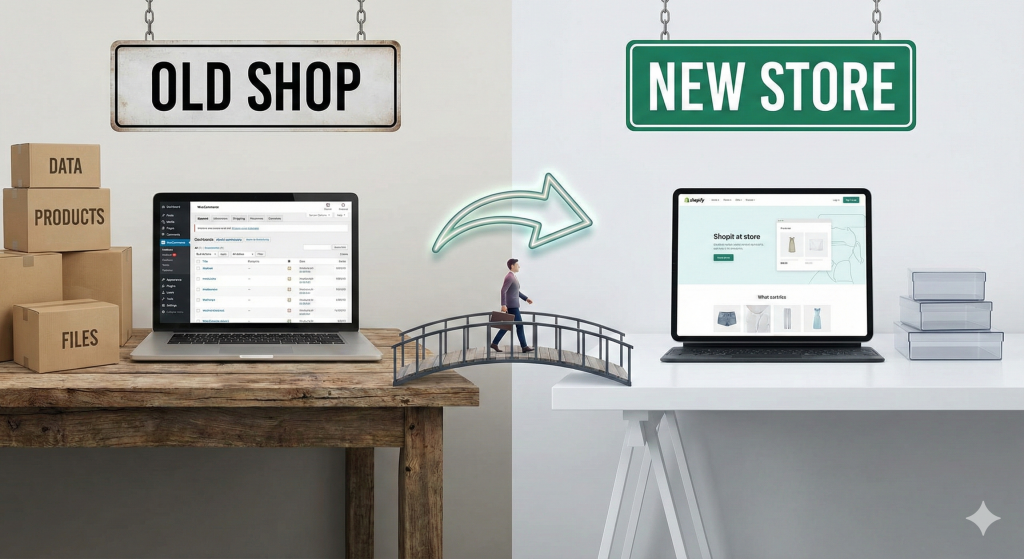
A WooCommerce to Shopify migration involves moving your core business data and rebuilding your storefront on a new platform. A typical process includes:
- Data Migration: Transferring your products, customers, and order history from WooCommerce to Shopify.
- Design and Theme Setup: Selecting and customising a Shopify theme to match your brand identity and create an optimal user experience.
- SEO Preservation: Implementing a 301 redirect strategy to ensure you do not lose your search engine rankings.
- App Configuration: Installing and setting up Shopify apps to replicate essential functionality.
- Launch and Testing: Pointing your domain to Shopify and thoroughly testing the new store to ensure everything works perfectly.
Timeline & Expectations
The timeline for a WooCommerce to Shopify migration depends on the complexity of your store.
- Small Store (under 500 products): A straightforward migration can often be completed in 2-4 weeks.
- Medium Store (500 – 5,000 products): For stores with more data and some custom features, the process typically takes 4-8 weeks.
- Large Catalogue (5,000+ products): For large, complex stores with extensive order histories and custom requirements, a migration can take 8-12 weeks or more.
If your business is ready to leave behind the maintenance headaches of WooCommerce and move to a platform built for growth, we can help. Our expert-led migration service ensures a smooth, seamless, and stress-free transition.